Web configurator
Put a 3D object into a photograph of a real room
Made with
- Scene
- glTF, loaded as .glb
- Ground plane
- Homography from four marked points
- Render
- ComfyUI, basic workflows for now
- Test build
- Vercel
- Front end
- Next.js and React, three.js in the viewport, Tailwind for the interface
What it does
A browser tool for putting a 3D object into a photograph of a real room. You drop in a background, mark where the floor is, add a .glb, and it renders the object into the scene at the right scale, in the right perspective, under the right light.
The point is to skip the shoot. If a product exists as a model, it can stand in a hundred rooms by tonight.
How it knows where the floor is
A photograph has no depth, so the tool has to be told where the ground is. You mark four points on the floor in the image, and they are matched to the corners of a flat rectangle. That pair gives a homography: a 3×3 matrix that maps any point on that plane in the photograph to a point on the plane in space, and back again.
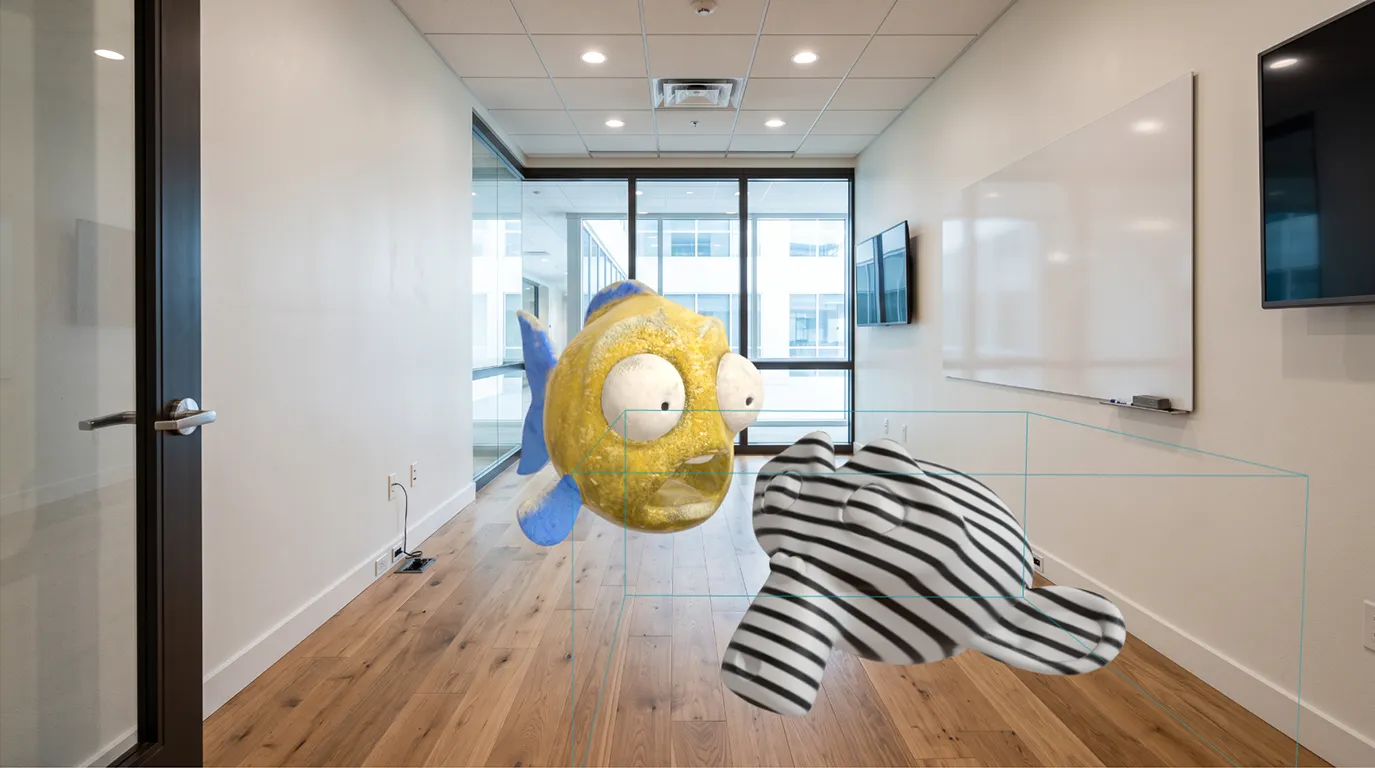
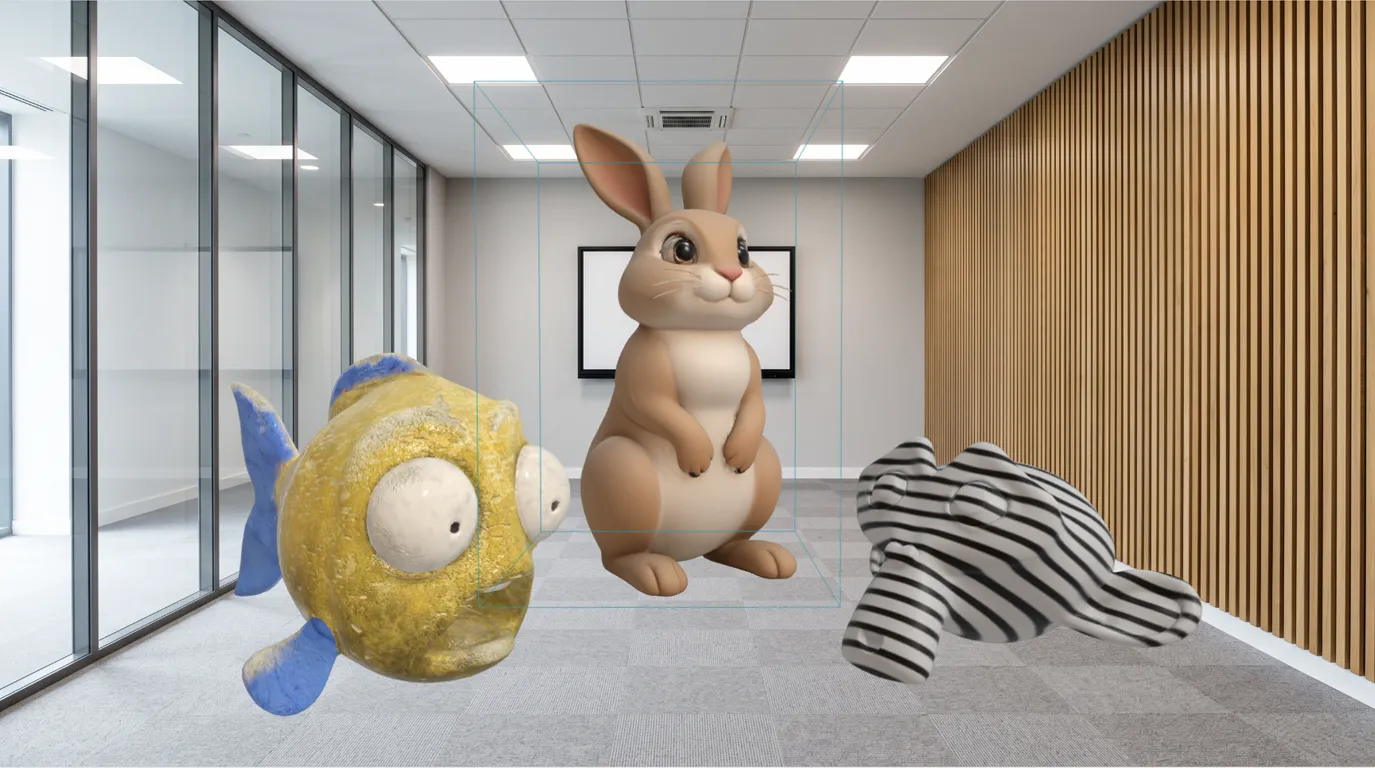
Once it has that matrix the tool knows where the ground runs, how it recedes, and how large a meter is at any depth in the frame. The model then stands on the plane instead of floating in front of the picture.
Where the render happens
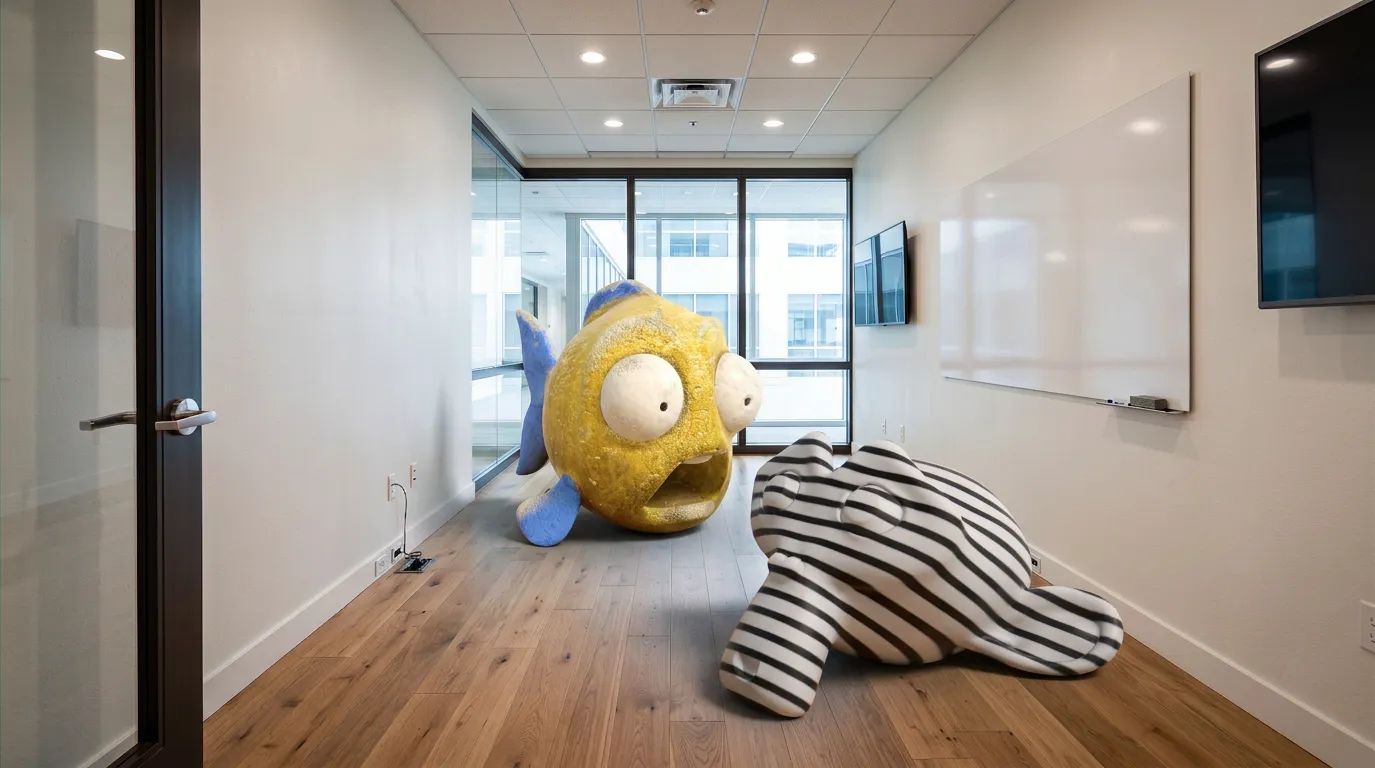
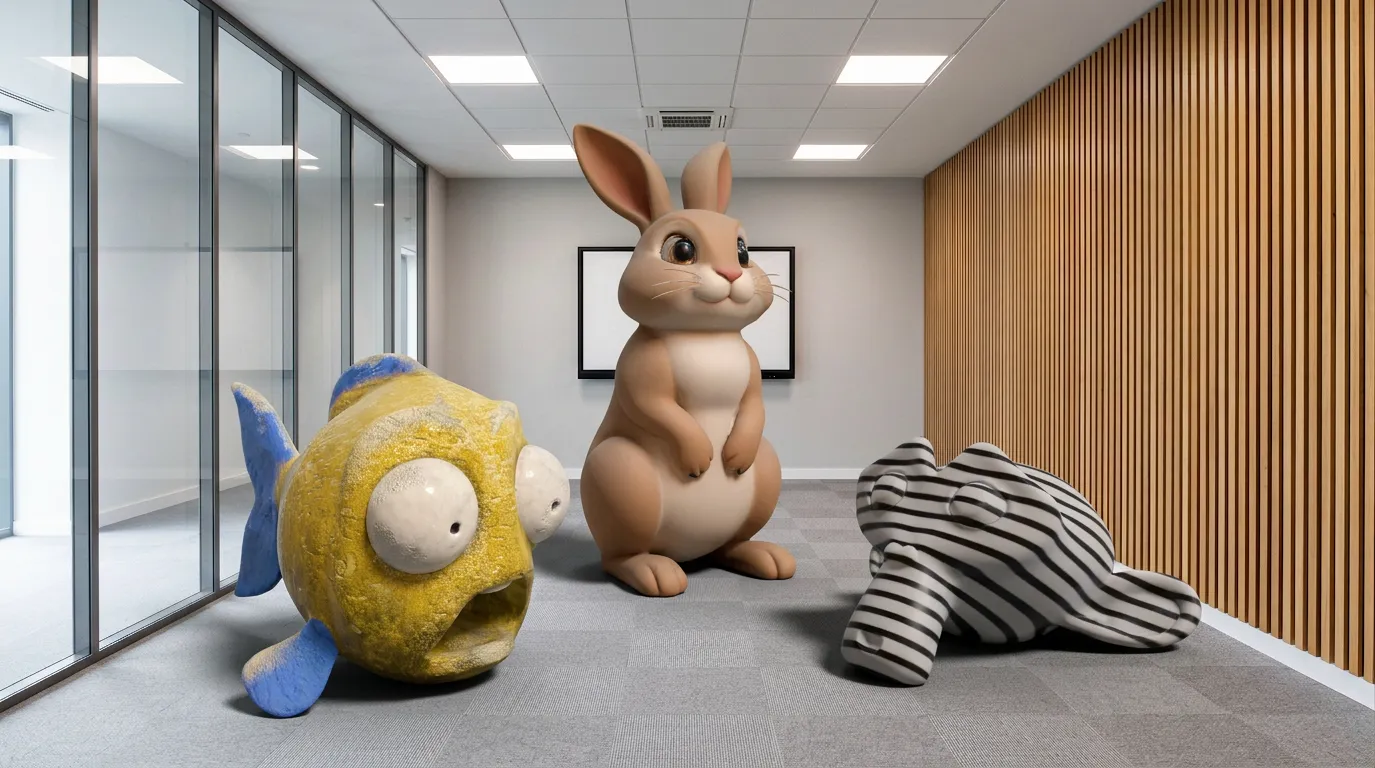
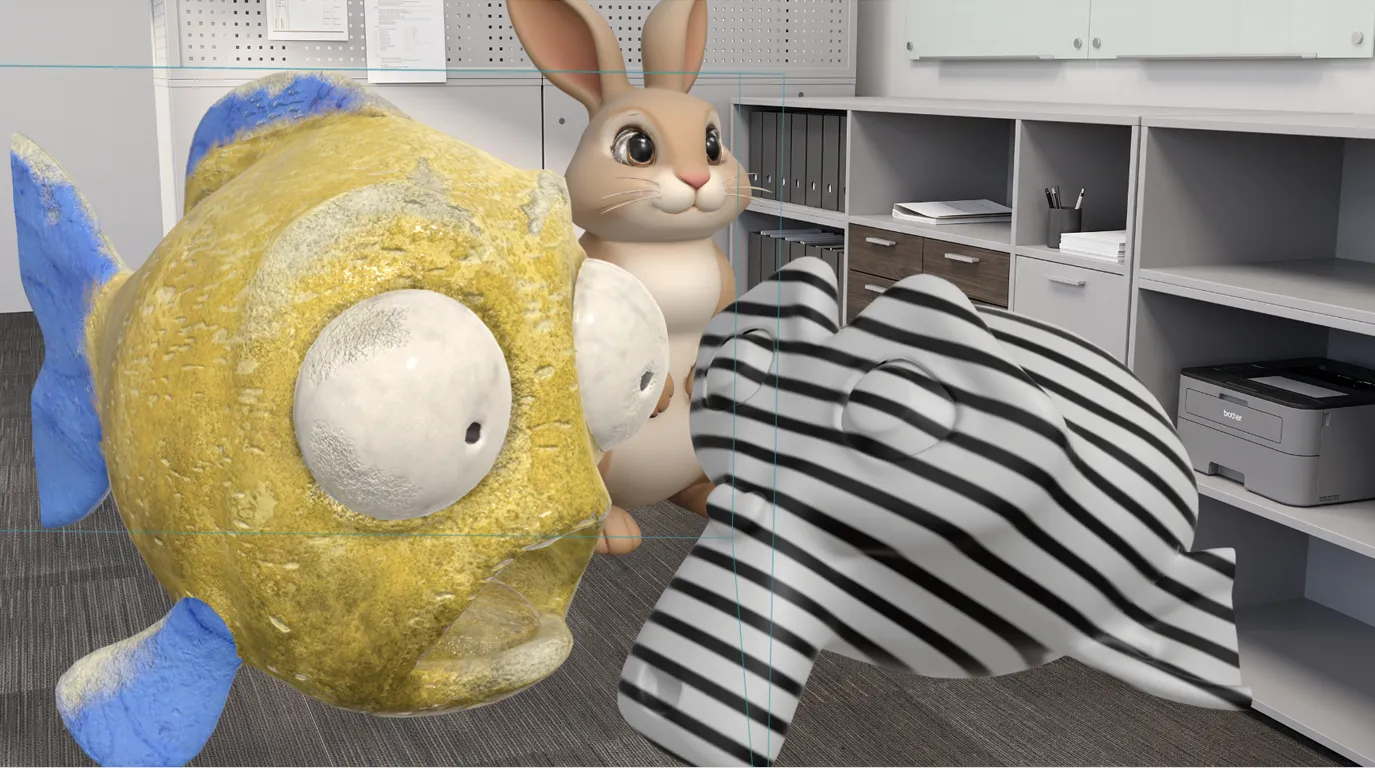
Placement happens in the browser. The render happens on a ComfyUI backend. Those are basic workflows for now: enough to ground the object, match the light in the room and put a shadow where it touches the floor.
Before and after
Left is what the viewport gives you: the model lit flatly, floating, bounding box still showing. Right is what comes back from the render.

Try it
A working build with a preset background. Rough edges included.
Next
Automatic perspective detection
Find the ground plane from the photograph, so nobody has to mark it.
Multi-surface detection
Tables, shelves and other planes, not just the floor.
Object masking
Let a model sit behind something that is already in the photograph.